FAQ
Frequently asked questions
Are any nav-meshes generated?
No, pathfinding is generated dynamically so a nav-mesh does not need to be precomputed. Movement is exclusively in 4 and 8-connected directions (think chess rook or queen movement) using 2D grids between discrete cells.
I can't see the path gizmos very well.
In newer Unity Versions, you can see these more easily by disabling "3D Icons" or adjusting "Fade Gizmos"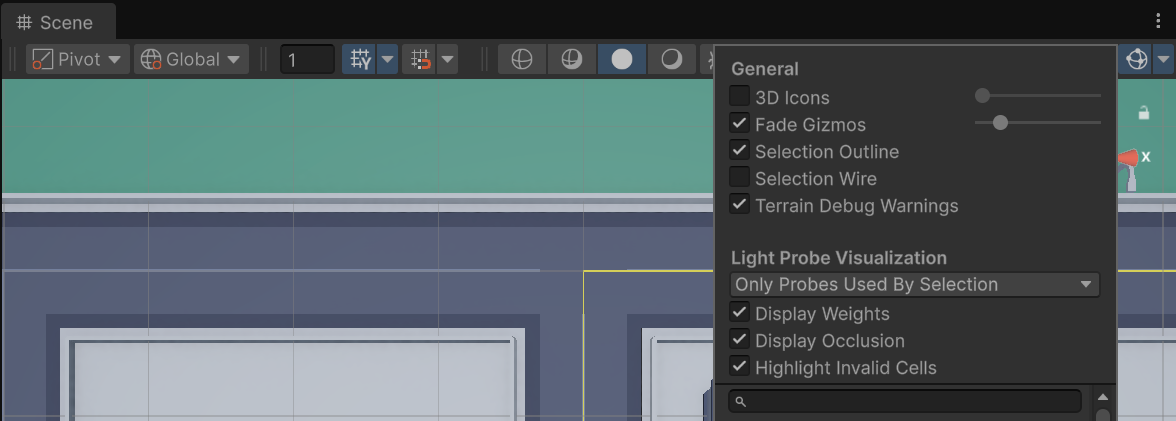
How do I upgrade from the Lite (free) version to the full version?
The full version — JPS4+ 2D Grid Pathfinding — is a drop-in upgrade. It provides multithreaded, highly optimized, and Burst-compatible versions of every algorithm included in the Lite version.
- Remove the
JPS4Pathfinding2D-Litefolder from yourAssets/directory. - Import JPS4+ 2D Grid Pathfinding via Window → Package Manager → My Assets.
- Re-open your scenes and press Build on each
PathfindingGridBuilderto refresh collision data.
The public API is compatible, so your existing pathfinding code should require no changes. See the Upgrading from Lite page for a full feature comparison and detailed steps.
Future Features
I want you to be happy with the asset! If you need anything specific or want me to expedite anything, email me at silointeractivegames+jps4@gmail.com
High Priority
-
A* Tile weights
-
Agent path avoidance (path objects using tile weights)
Low Priority
-
More distance functions
-
Additional movement components
-
Pathing algorithm configuration per agent
Completed
-
Dynamic collision (during movement)
-
Closest Target Support
-
Multi-threaded support
-
More Samples